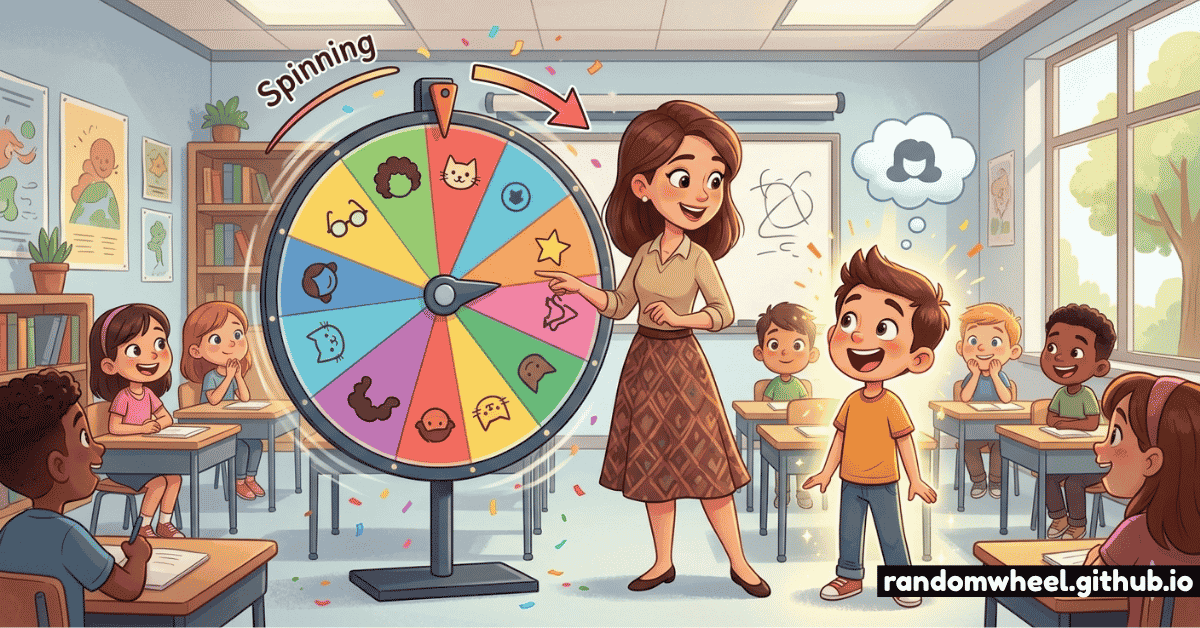
Ask any experienced teacher what they struggle with most and you'll consistently hear the same answer: equitable participation. Getting students to contribute fairly — without always calling on the same raised hands, avoiding shy students, or unintentionally favouring certain groups — is one of the most persistent challenges in the classroom. A random name picker elegantly solves all of it.
But there's a right way and a wrong way to use one. Done poorly, a random name picker increases anxiety. Done well, it becomes one of the most powerful tools in your pedagogical arsenal. This guide covers everything you need to know — from the psychology behind it, to specific tricks veteran teachers swear by.
Studies on classroom equity consistently show that without structured randomisation, teachers call on high-achieving or highly verbal students up to 4× more often than quieter peers — usually without realising it. A name picker wheel levels the playing field automatically.
01. Why Random Beats "Raise Your Hand"
The traditional hand-raise system has a fundamental design flaw: it self-selects for confidence. Students who already know the answer — or who are simply more extroverted — dominate discussions, while others opt out entirely. Over time, this creates a two-tier classroom where some students grow accustomed to invisibility.
A random name picker disrupts this pattern at the root. When every student knows they could be called on at any moment, the incentive to stay mentally engaged is constant. Research in active learning consistently shows that unpredictable call-on structures increase on-task behaviour across the whole room — not just for the student who gets selected.
"The moment I introduced a name wheel, my quiet students started pre-preparing answers. They couldn't opt out anymore — and most of them actually preferred it."
02. Setting Up Your Name Picker Wheel the Right Way
The setup matters more than most teachers realise. Here's how to configure your wheel for maximum classroom effectiveness:
Loading your class roster
Open the spin wheel editor and paste your class list — one name per line. Use first names only for younger classes to keep the experience friendly. For older students or where there are name duplicates, use first name + last initial (e.g. "Sarah K.").
Use "remove after spin" for equitable coverage
Activate the option to remove a student's name after they've been selected. This guarantees every student gets called on exactly once before anyone faces a second spin. It's the single most effective fairness setting available — and students respond very well to it once they understand the system.
Create subject-specific wheels
Save separate wheels for different classes or subjects. A Year 9 English wheel is different from a Year 9 Maths wheel — especially if ability groupings vary. Bookmark each configured wheel and you never need to re-enter names again.
Keep it visible on the projector
Project the wheel on your classroom screen before you spin. Seeing their own name on the wheel before it moves is a powerful engagement trigger — students instinctively track where the wheel might land, even if they don't admit it.
03. 8 Tricks That Make Name Pickers Work Better
These are the lesser-known techniques that separate a good name picker implementation from a great one:
The "Think First" Pause
Give 10–15 seconds of thinking time before spinning. Students who know they might be called prepare an answer instead of hoping someone else gets picked.
The Lifeline Rule
Every student gets one "phone a friend" per lesson — they can redirect the question to a classmate of their choice. Reduces anxiety while keeping everyone involved.
Celebrate the Spin
Frame being selected as recognition, not exposure. A small "ooh!" from you or brief applause reframes the moment as exciting rather than threatening.
Add Wildcard Segments
Include a few "Whole Class" or "Table Vote" segments. When these land, the whole group answers together — providing natural breaks from individual pressure.
Double Entry for Absentees
When a student is absent and their name spins, simply spin again. No need to remove them — their return keeps the wheel accurate for future lessons.
The "No Wrong Answer" Contract
Explicitly tell students you'll never humiliate a wrong answer. The wheel only works if the psychological safety is genuine — model grace when answers miss the mark.
Use It for Roles, Not Just Answers
Spin to assign discussion leaders, board writers, or group reporters. This removes the social pressure of volunteering for visible roles and rotates responsibility fairly.
Show the Remaining Names
When using "remove after spin," explicitly show the shrinking list. Students count down whose turn is coming — this builds surprising excitement near the end of a lesson.
Build Your Class Wheel in Under a Minute 🎡
Free, browser-based, works on any whiteboard or projector. No account needed — ever.
Launch Name Picker — Free04. Best Practices by Grade Level
The same tool works differently across age groups. Here's how to tailor your approach:
Primary School (Ages 5–11)
Make the wheel a character — name it "Mr. Spinner" or "The Magic Wheel." Younger students embrace the gamification completely. Use it for everything from answering questions to choosing who lines up first. Keep the "remove after spin" rule — young children are acutely sensitive to fairness and will notice if some students get more spins than others.
Middle School (Ages 11–14)
This is the age group most likely to feel embarrassed. Normalise the wheel from day one of the school year. Establish the lifeline rule early and enforce psychological safety firmly. At this age, peer reaction matters enormously — ensure the class culture around wheel spins is supportive before relying on it daily.
High School (Ages 14–18)
Older students often appreciate the wheel's fairness once it's explained plainly. Be transparent: "I use this so I don't unconsciously call on the same people." This candour builds respect. At this level, use the wheel primarily for higher-order questions — save cold-calls for questions worth thinking about, not factual recall.
University / Adult Education
Frame it as a seminar facilitation tool rather than a classroom management device. Adult learners respond to the democratic framing — it prevents any one person from dominating discussion. Works particularly well in large lecture settings where voluntary participation skews heavily toward a vocal minority.
05. Handling Anxiety Around Random Selection
The most common concern teachers raise about random name pickers is student anxiety. This is a legitimate concern — and worth addressing head-on rather than dismissing.
The key distinction is between productive discomfort (the kind that drives engagement and growth) and threat anxiety (the kind that shuts down cognition entirely). Your job is to stay firmly in the first category.
- Always give thinking time before spinning — never spin and immediately demand an answer
- Accept partial answers — "I'm not sure, but I think..." is a valid and valuable response
- Never use the wheel punitively — spinning it more frequently when students are distracted teaches dread, not respect
- Check in privately with students who have diagnosed anxiety disorders — consider a pre-agreed signal system where they can indicate they need a pass that lesson
- Model vulnerability yourself — occasionally wonder aloud about an answer before revealing it. Normalise not being certain.
06. Frequently Asked Questions
Absolutely. The wheel handles any number of names — segments simply resize automatically. For very large classes, the "remove after spin" feature is especially valuable, ensuring no student waits the entire lesson without being called.
Create and bookmark a separate wheel for each class. You can save a unique URL for each configured wheel and access it instantly at the start of every lesson — no re-entry required.
Yes. Any browser-based wheel works perfectly on SMART Boards, Promethean boards, and any touchscreen display. You can spin directly from the board — students love tapping the screen to trigger the spin.
Yes — transparency builds trust. Explain the system at the start of the year, including any rules like lifelines or the "remove after spin" guarantee. When students understand the system, they're far more likely to engage with it positively.
Yes. Simply add a student's name multiple times on the wheel to increase their probability of being selected. This can be used subtly to ensure students who have been absent get more catch-up participation opportunities.